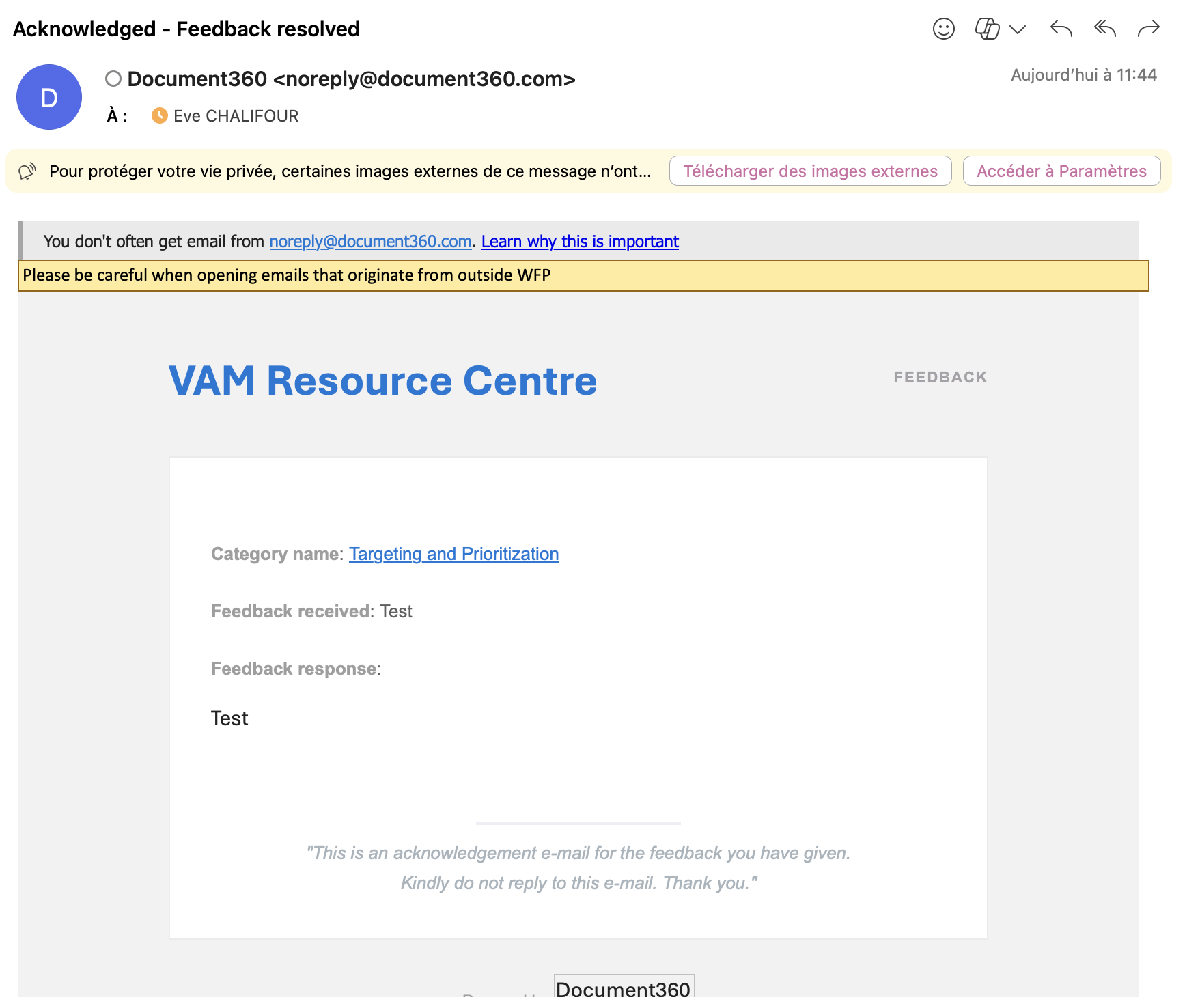
Leaving feedback on an article of the VAM Resource Center is easy. Follow the steps below:
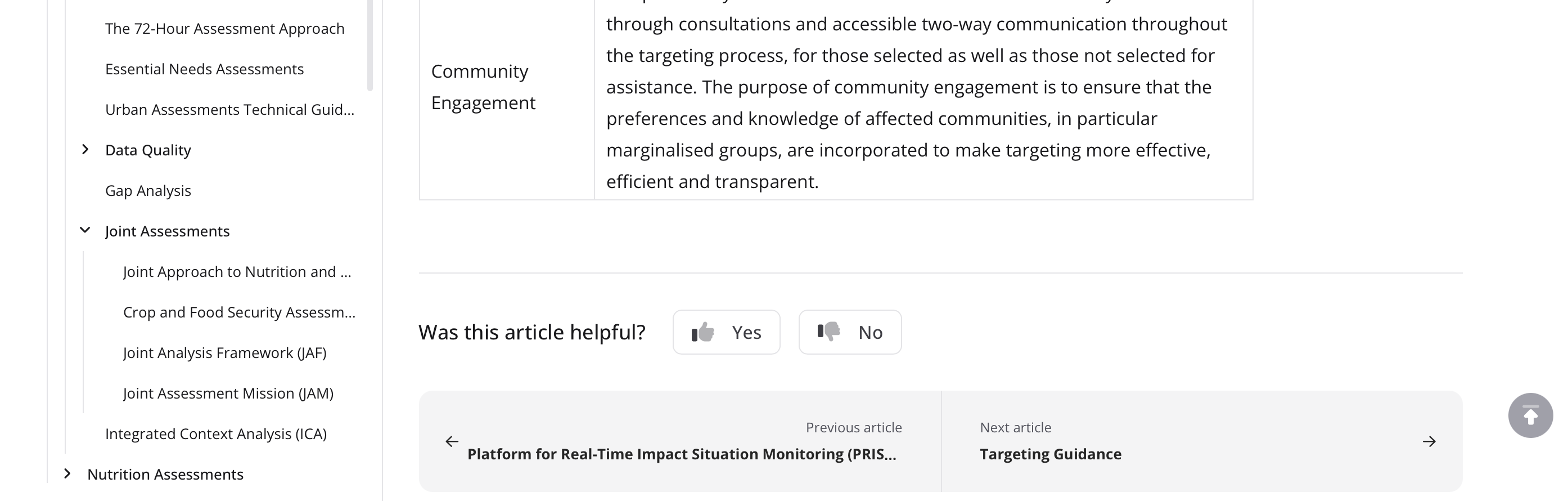
Scroll down to the bottom of the page you would like to comment on
Look for Was this article helpful? and click on the thumbs up or thumbs down button
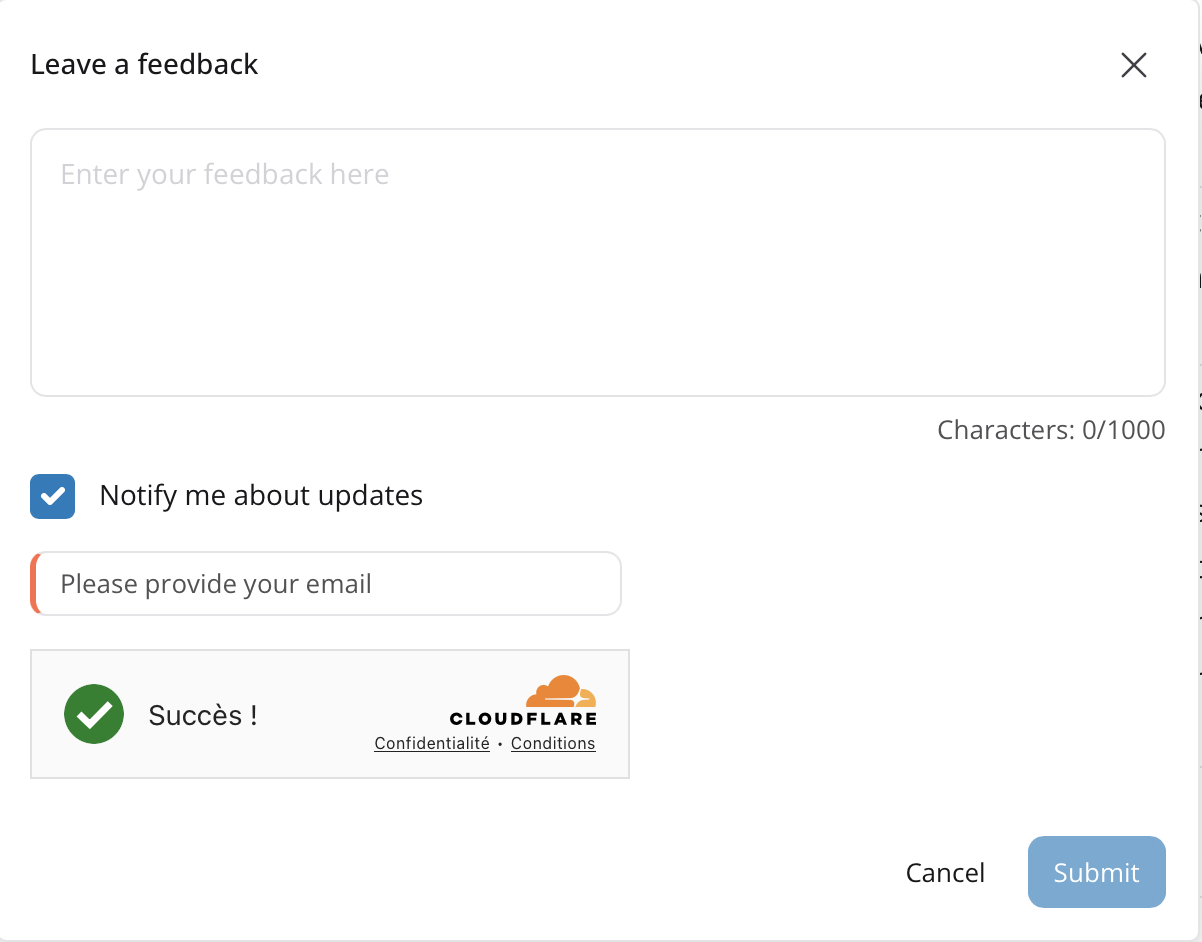
Leave a comment
Thumbs Up:
Leave a comment (optional)
Ask to be notified once the team has reviewed the comment (optional)
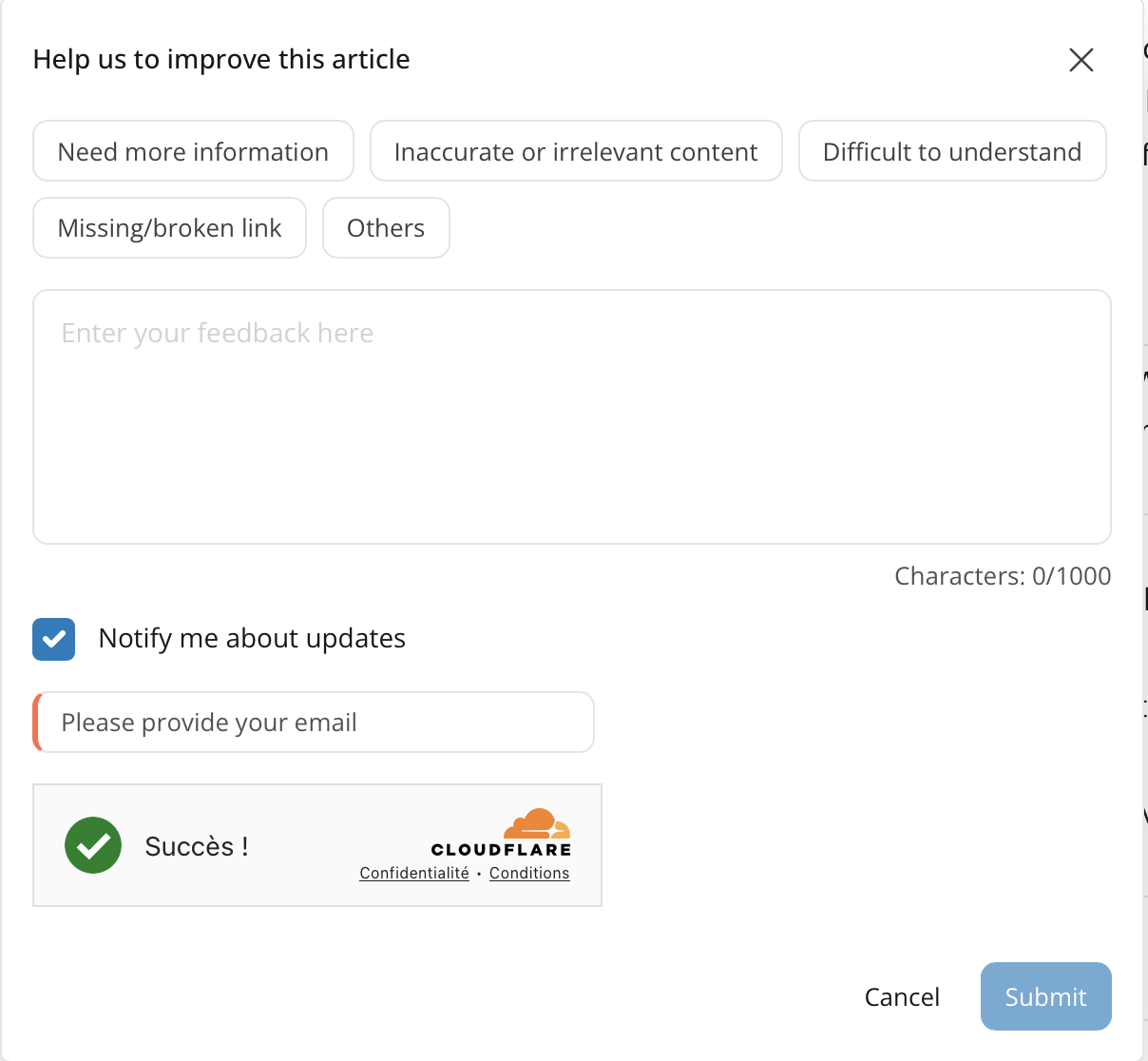
Thumbs Down:
Select why this article was not helpful
Leave a comment (optional)
Ask to be notified once the team has reviewed the comment (optional)
If you asked to be notified, you will receive the response to your comment by email. The timeline for receiving a response will vary based on the complexity of the request.
For any follow-up request or question, please reach out to wfp_assessment_targeting@wfp.org
Step 1-2: Bottom of the Article and Selection of Thumbs Up/Down
Step 3 - Thumbs Up: Comment Box
Step 3 - Thumbs Down: Comment Box
Step 4 - Review response to your comment